Make Your Stay, Simplified
Helpful Tips & Information for a Smooth Experience
Welcome! This guide is here to help make your stay as simple and comfortable as possible.
Inside, you’ll find Guides & Tips, practical tips, and easy-to-follow guidance designed to answer common questions and help you navigate the space with ease. Whether it’s figuring out how something works, solving a small issue, or just making the most of what’s around you, this page is your go-to resource.
We’ve gathered everything in one place so you can feel confident and well-informed throughout your time here. No need to worry — just relax and enjoy your stay.
Helpful Tips
-
WiFi
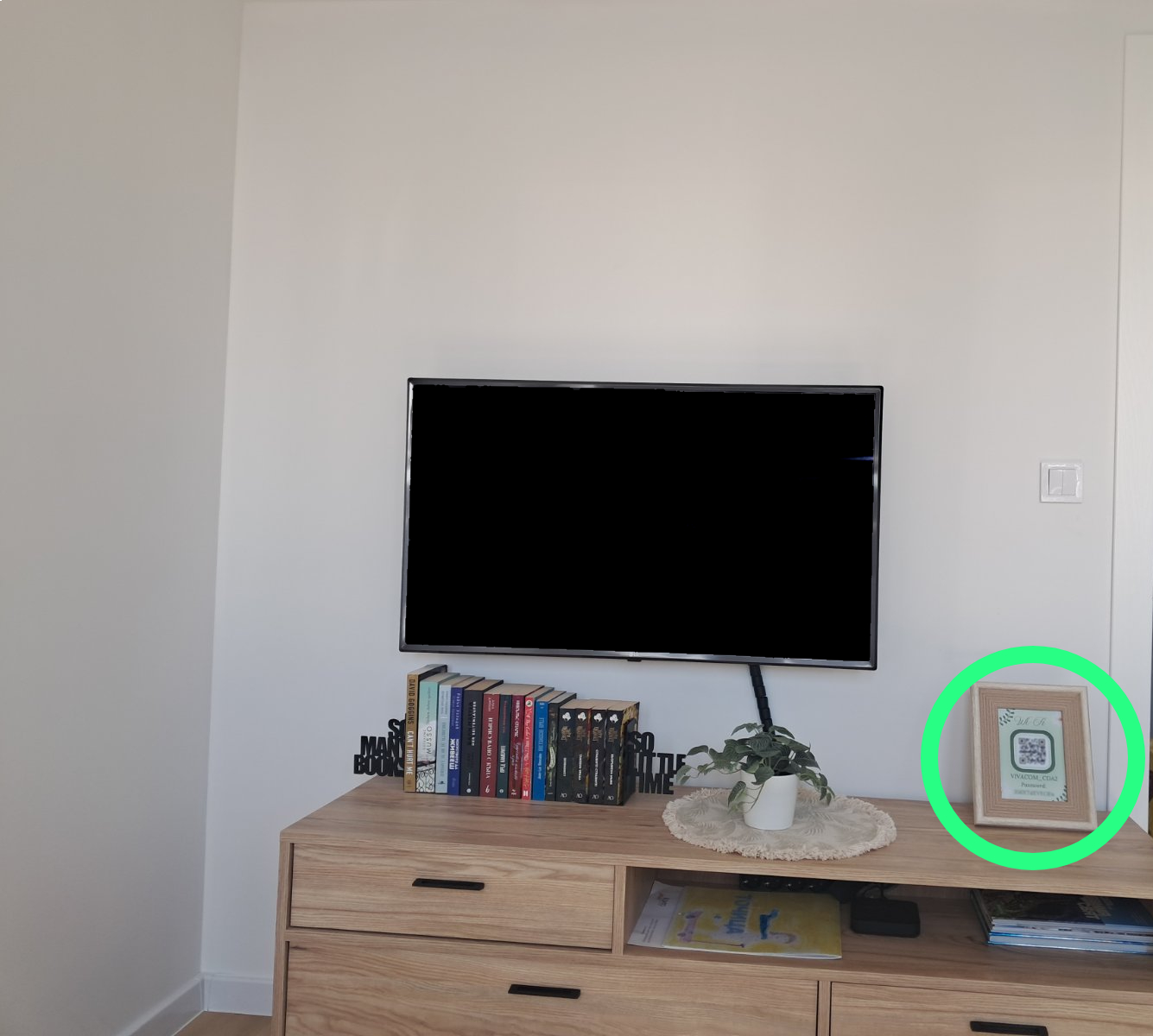
For easy access to the internet, you’ll find a small plate placed next to the TV displaying the Wi-Fi network name, password, and a scannable QR code. Simply scan the QR code using your mobile device to connect instantly, or manually select the correct Wi-Fi network and enter the password as shown. If you need any help connecting, feel free to reach out.
more -
Mobile Charging
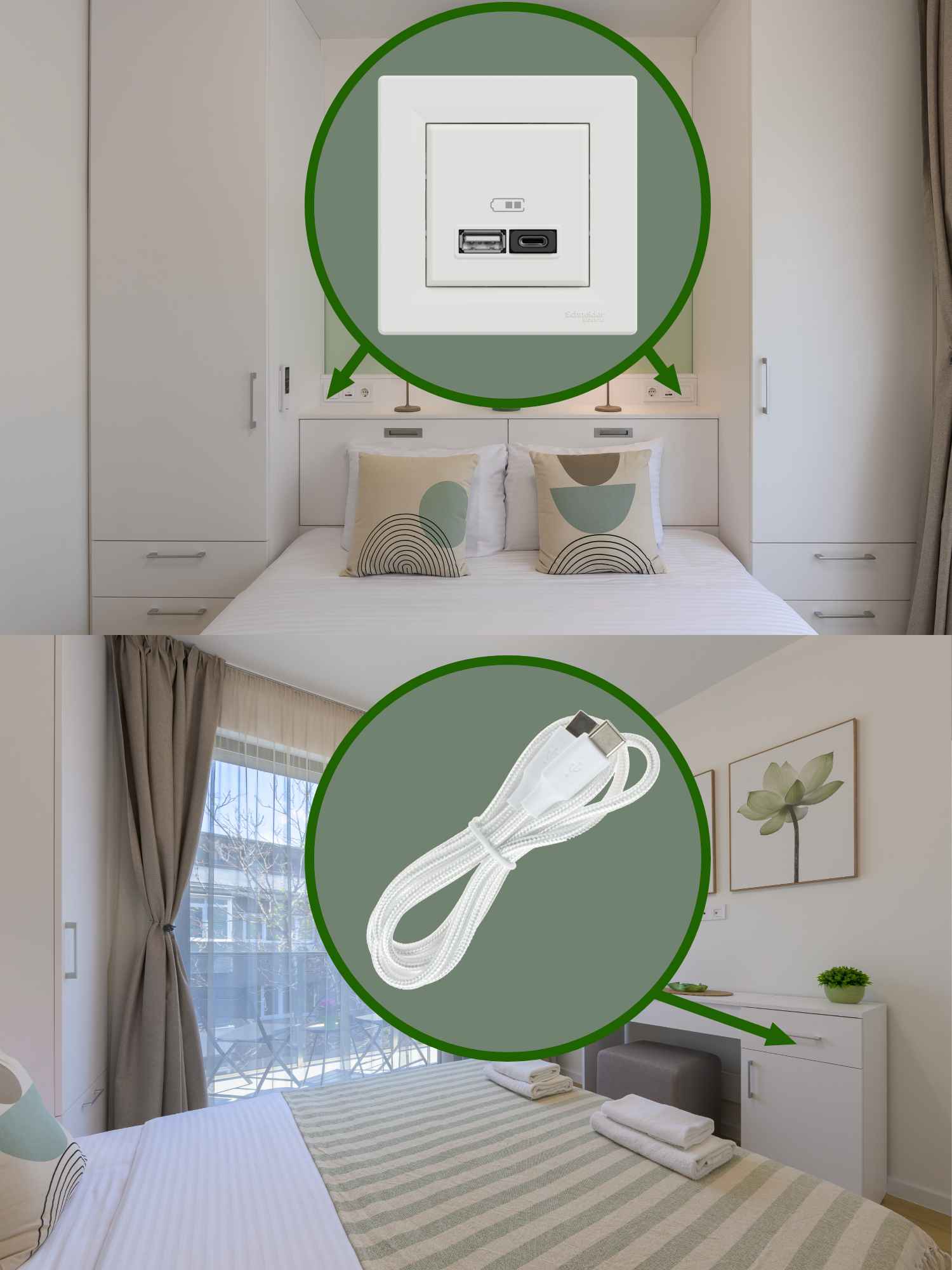
For your convenience, the bedroom is equipped with built-in USB charging ports located near the bed. These include both USB Type-A and USB Type-C outlets, supporting fast charging up to 3A / 45W — suitable for most smartphones, tablets, and other USB-powered devices. If you’ve forgotten your charging cable, no worries — you’ll find a selection of commonly used cables in the drawer of the desk. Please feel free to use them during your stay.
more -
Fire Alarm
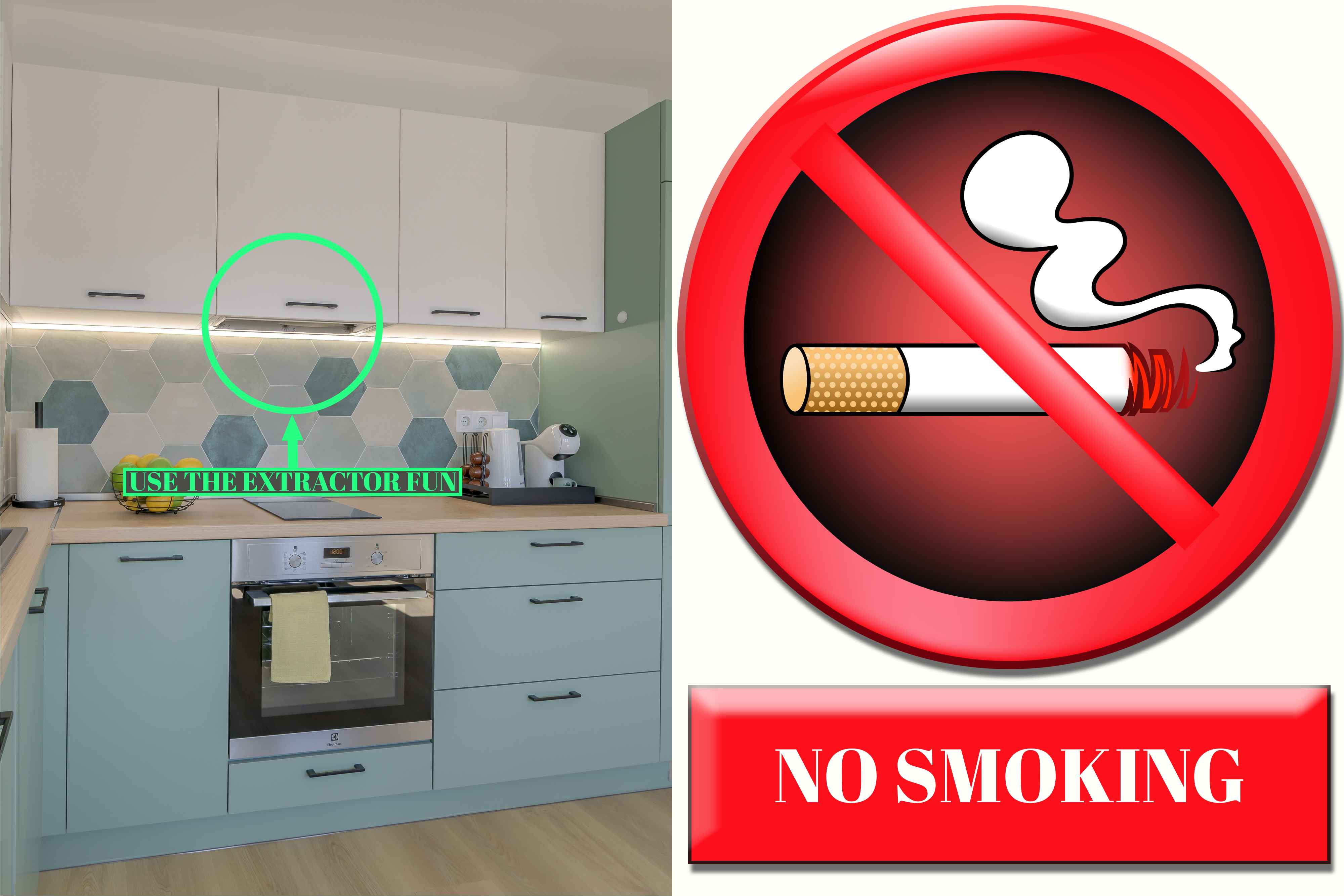
For your safety, the apartment is equipped with smoke detectors that are sensitive to various types of smoke. This includes smoke from an actual fire, cigarette smoke, or even smoke produced during cooking — especially when the kitchen extractor fan (range hood) is not turned on. To avoid false alarms, please ensure the range hood is used while cooking and refrain from smoking indoors.
more -
TV.
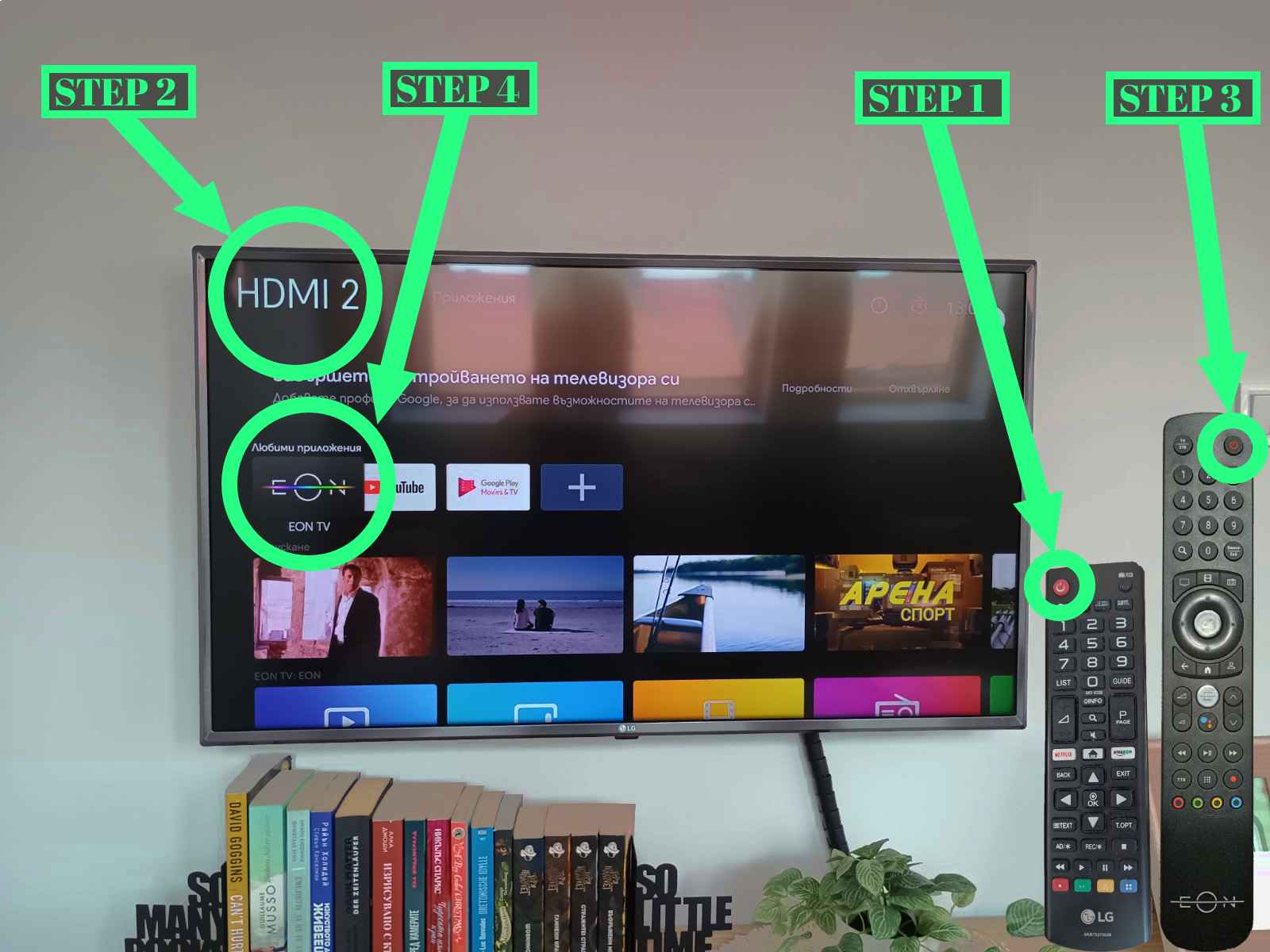
To watch TV during your stay, please follow these simple steps:
more
1. Turn on the TV using the remote control.
2. Make sure the input source is set to HDMI 2. If it’s not, press the Home button on the remote and select HDMI 2 from the main menu.
3. If the IPTV receiver is turned off, please power it on using its own remote or the power button.
4. If a setup screen appears, simply select EON TV from the options to start watching live television.
If you need help or something doesn’t seem to work, feel free to reach out — we’ll be happy to assist! -
Washing Machine
Washing Machine – No Response / Lights Not Turning On
more
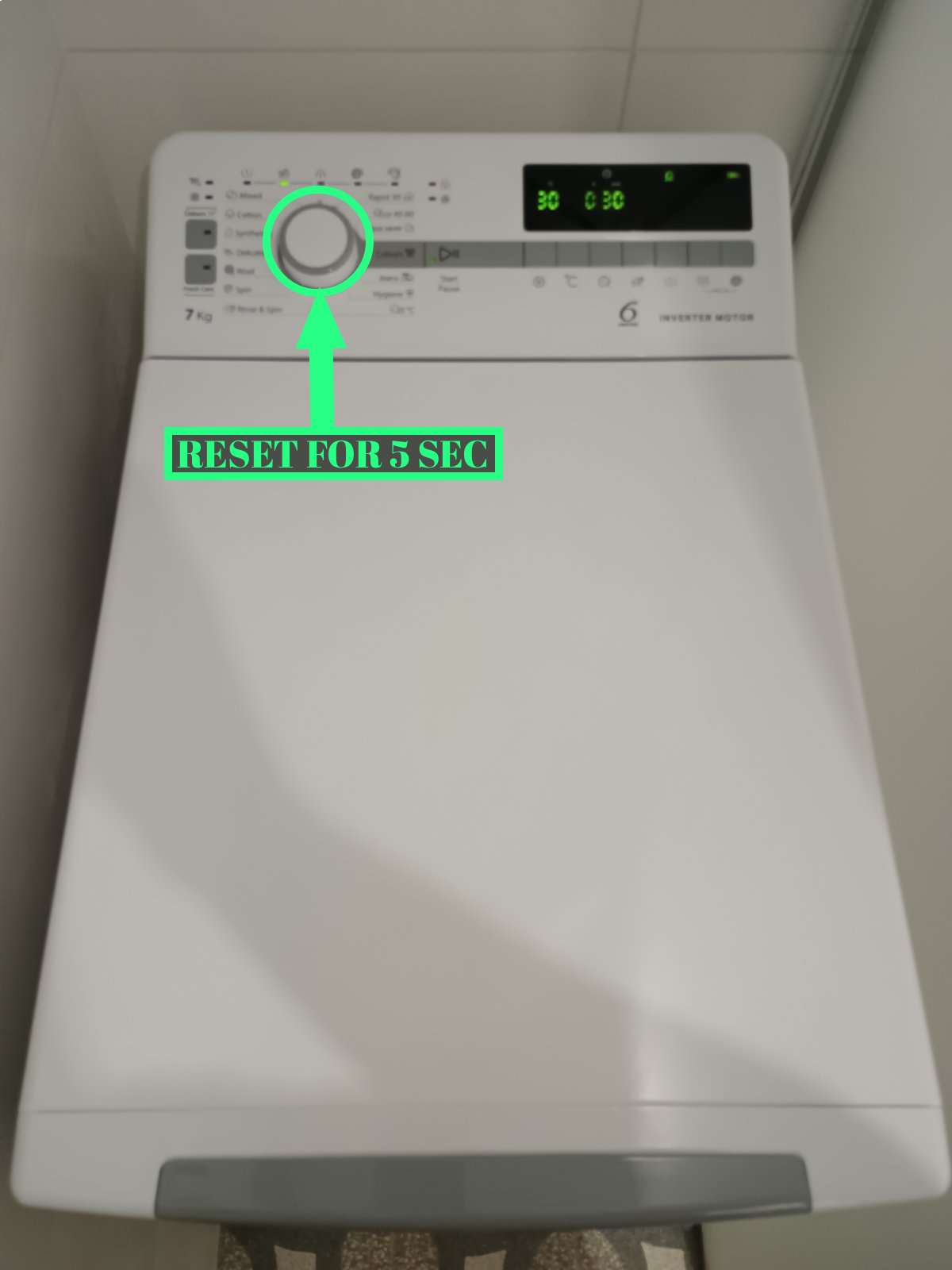
If the indicator lights on the washing machine in the bathroom do not turn on when you rotate the program selector, it is likely due to a previous guest leaving the program dial in an active position. In such cases, please follow these steps:
1. Turn the program selector knob to the "0" (off) position.
2. Wait for about 5 seconds to allow the machine to reset.
3. After that, turn the knob to your desired washing program as usual.
This issue typically occurs when the previous cycle was not properly ended, and the machine needs a brief reset before starting a new one. -
Exiting the Building
Exiting the Building – Door Release Button
more
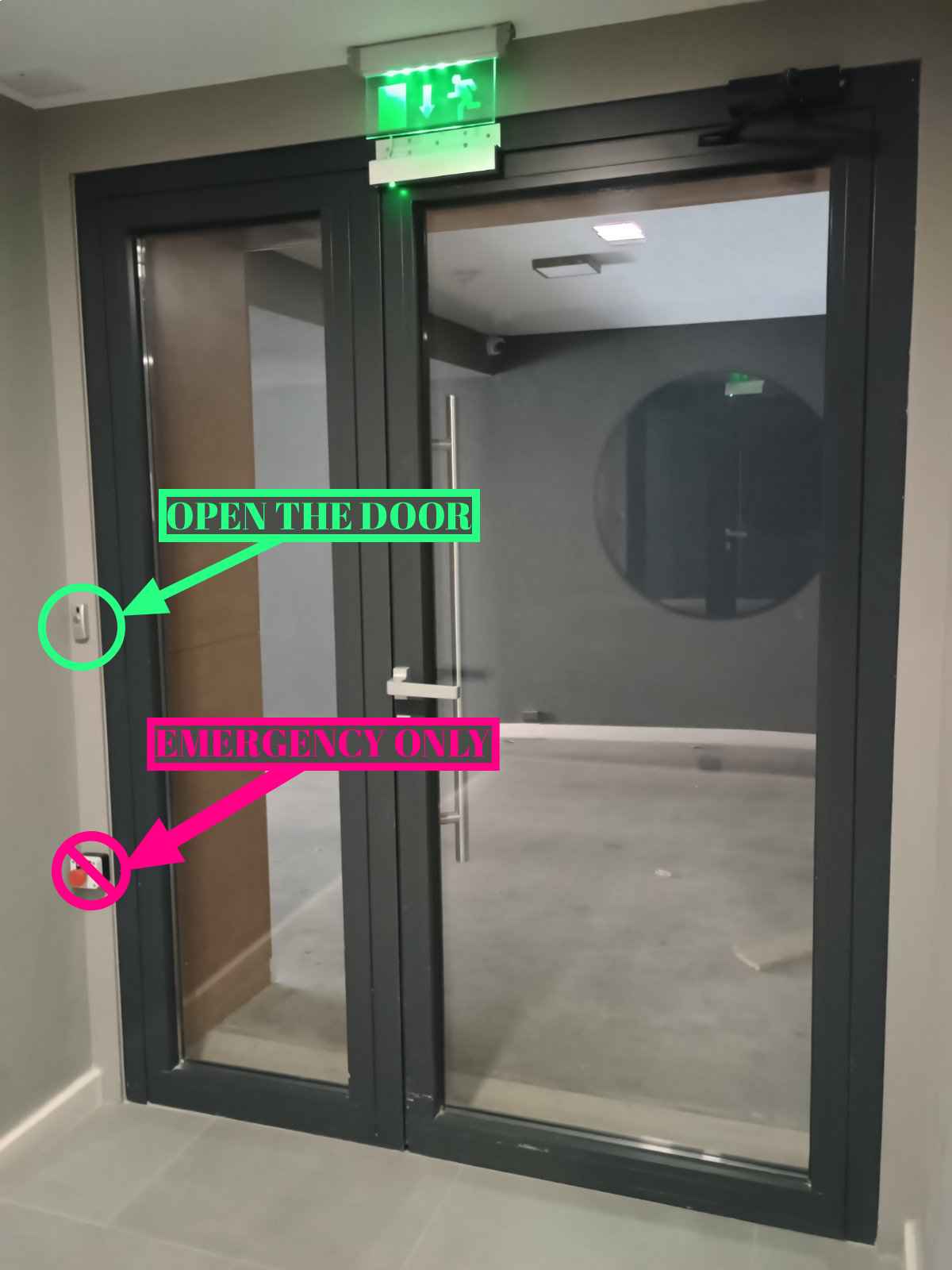
To exit the building where the apartment is located, please press the small button to the left of the staircase door before attempting to open it.
The building’s main door is secured with a magnetic lock, which requires the button to be pressed in order to deactivate it. If you only pull the handle without pressing the button first, the door will remain locked and won’t open.
This is a standard safety feature of the building, and you’ll need to press the button each time before exiting. -
Nearby Cafés
Nearby Cafés, Bakeries & Breakfast Spots
more
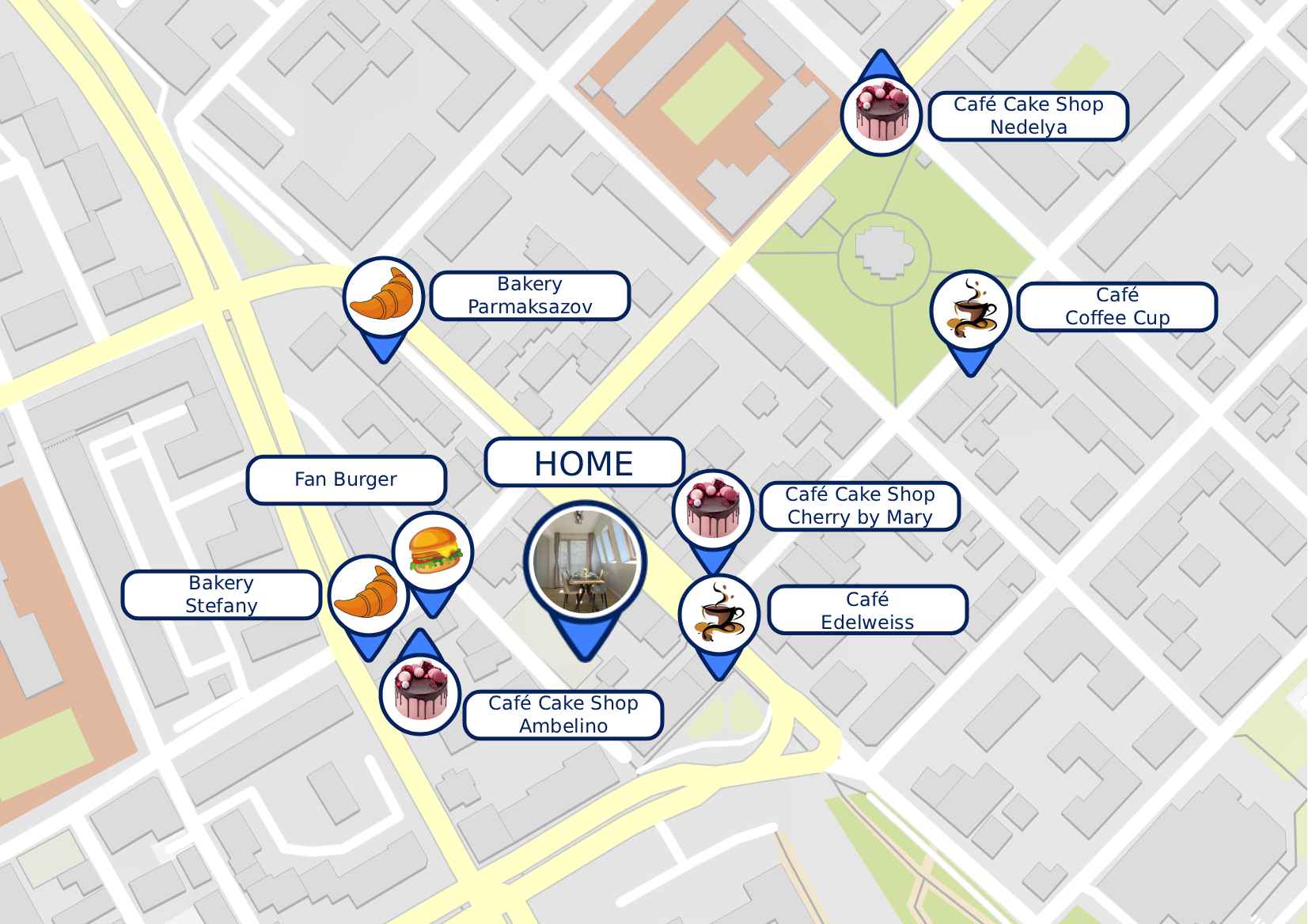
Just a short walk from the apartment, you’ll find a variety of cafés, bakeries, and breakfast places, perfect for starting your day with a fresh pastry, a quick bite, or a great cup of coffee.
Whether you're looking for a cozy spot to sit and relax or simply grab something on the go, there are several excellent options in the neighborhood to choose from — all within easy walking distance.
Feel free to explore and enjoy the local flavors! -
Markets Nearby
Grocery Stores Nearby
more
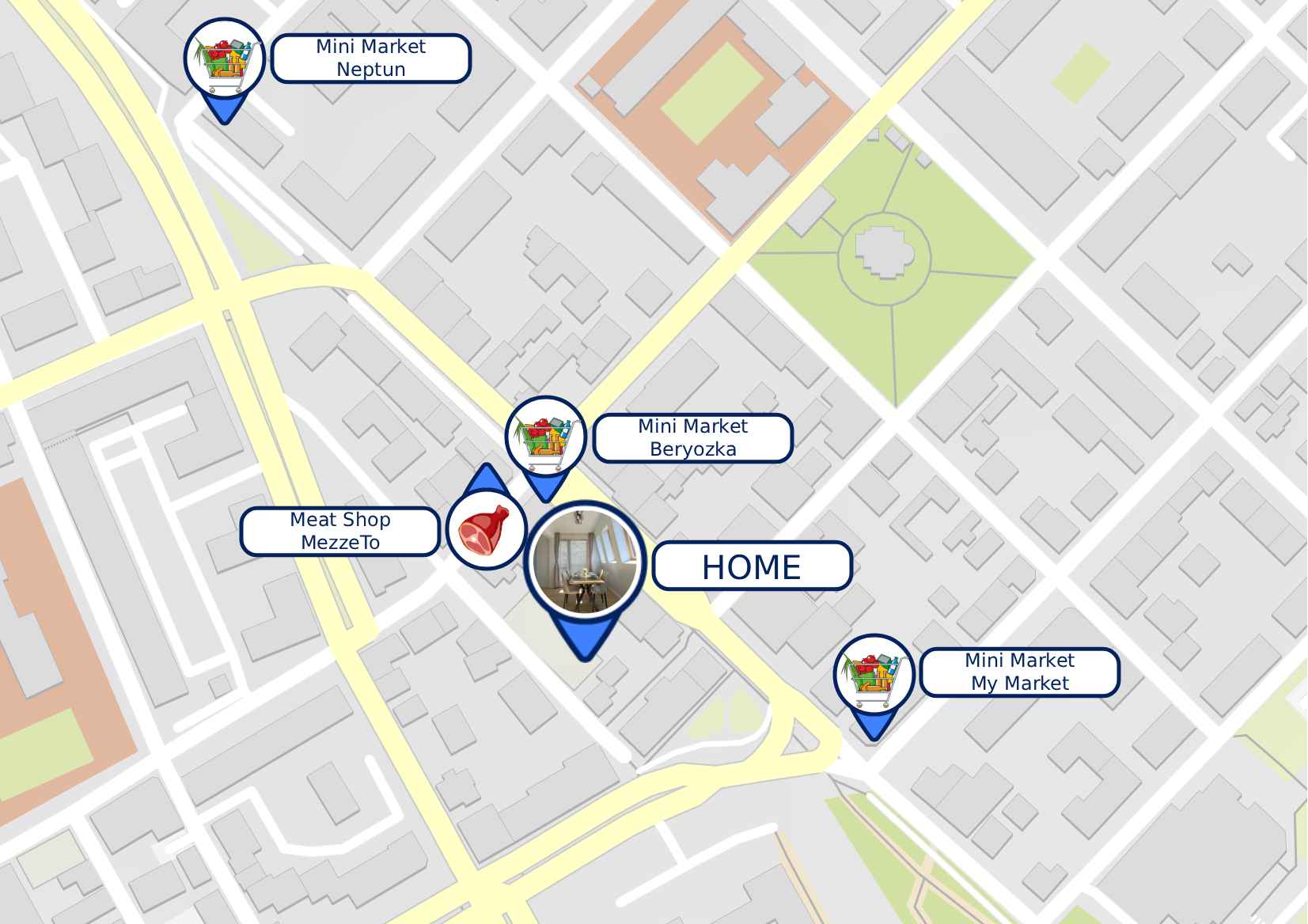
There are several grocery stores and mini-markets located just a short walk from the apartment, making it easy to pick up essentials, snacks, or ingredients for a home-cooked meal.
Whether you need bottled water, fresh produce, or everyday items, you’ll find convenient options nearby — most of them open daily, including weekends.
Feel free to explore the area and stock up on whatever you might need during your stay. -
Bus Stops Nearby
Public Transport Access
more
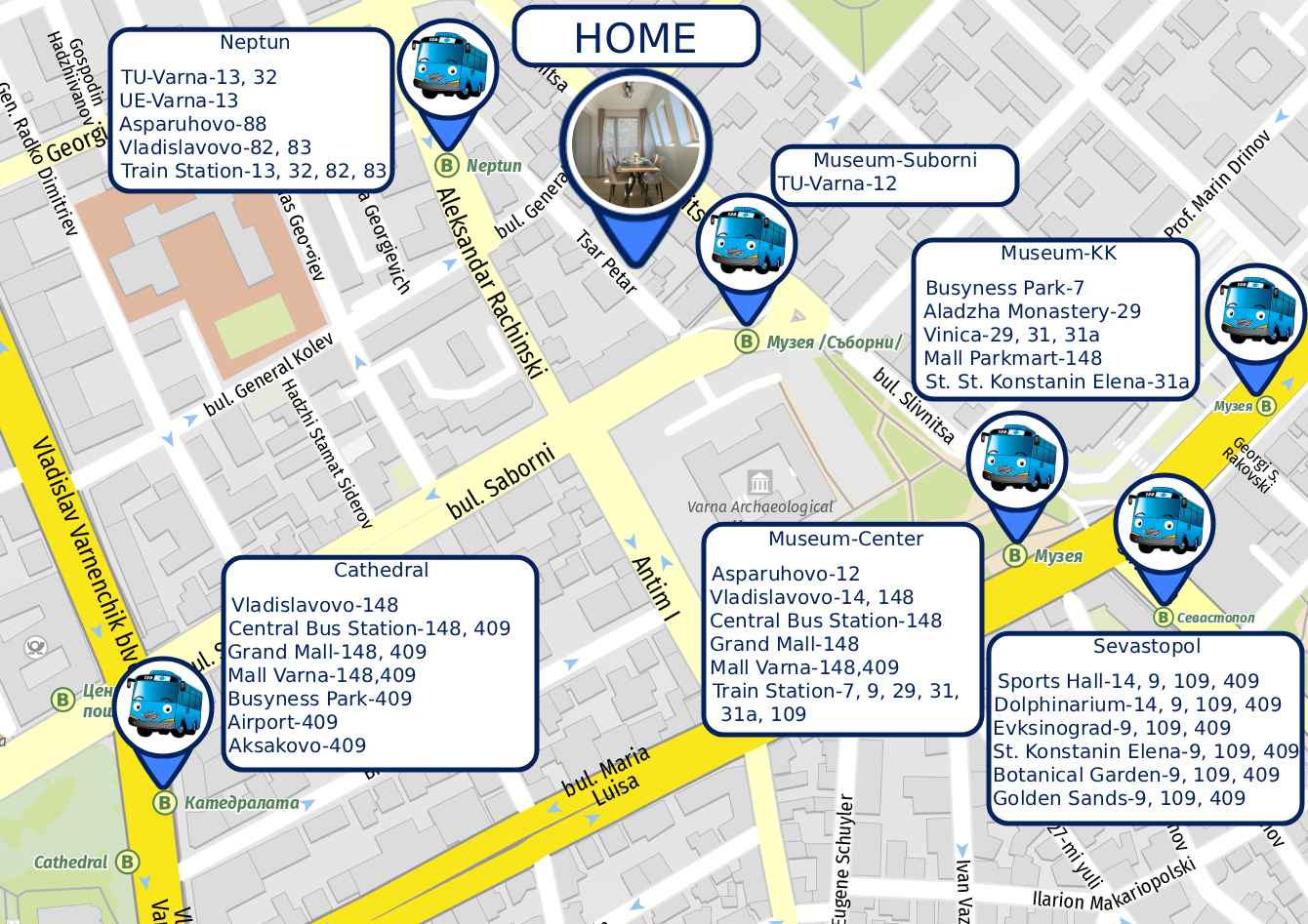
The apartment is conveniently located near several bus stops, providing easy access to all parts of Varna and the surrounding area.
From the bus stop in front of the Cathedral, you can catch buses that travel to the popular seaside resorts of Golden Sands and Sts. Constantine and Helena.
From the Central Post Office bus stop, you can take buses heading to the southern neighborhoods of Asparuhovo and Galata, both of which offer access to beautiful beaches and coastal areas.
In addition to these, there are seven more nearby bus stops, connecting you to every part of the city, including the train station, the Sea Garden, shopping districts, and more.
Whether you're planning a beach day or exploring the city, public transport is a reliable and affordable option right at your doorstep. -
Parking
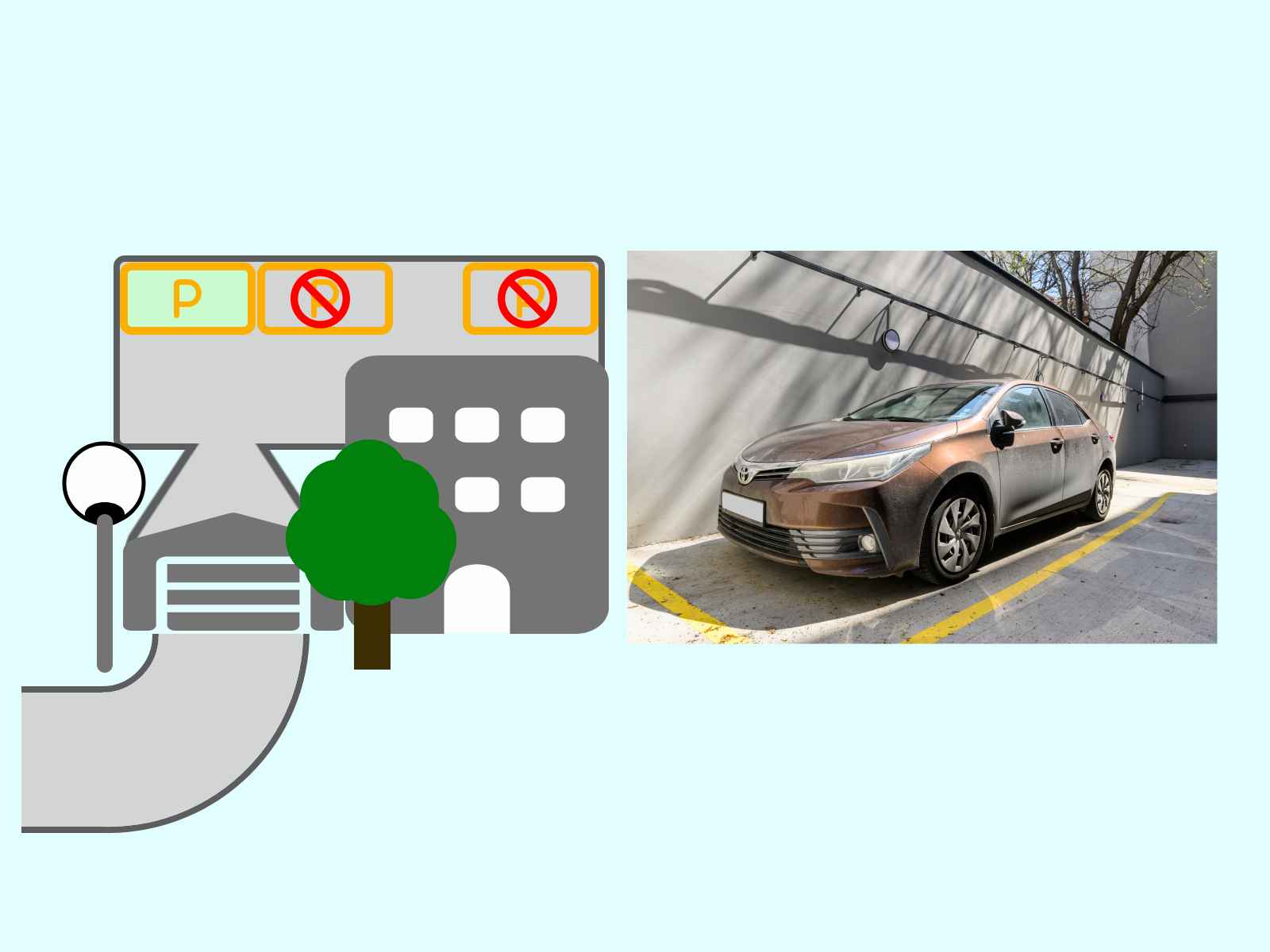
We offer a free private parking space for our guests. Please note that access is narrow and is best suited for compact cars or experienced drivers. As shown in the picture, a Toyota Corolla fits comfortably. If you're unsure, there are plenty of public parking options nearby.
more